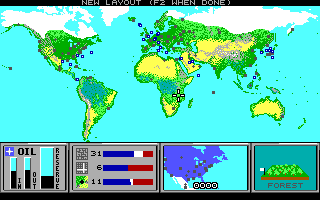
The following instructions to allow two persons to play Command HQ over the Internet, using a free program called DosBox, come courtesy of Ryan Walz:
The computer IP addresses in this example are listed below:
Server
computer:192.168.0.2
Client computer:192.168.0.3
(you will need to
substitute your IP's)
in the dosbox folder (defaults to c:\program
files\dosbox-0.72) there is a configuration file called dosbox.conf
Open
this file using notepad (or your program of choice) and scroll down until you
see the section called [serial]
For the server computer you just need to
select one of the serial ports (i used serial1 below) and set it to
nullmodem
[serial]
# serial1-4 -- set type of device connected to com
port.
# Can be disabled, dummy, modem, nullmodem,
directserial.
# Additional parameters must be in the same line
in the form of
# parameter:value. Parameter for all types is
irq.
# for directserial: realport (required), rxdelay
(optional).
# for modem: listenport
(optional).
#
for nullmodem: server, rxdelay, txdelay, telnet, usedtr,
#
transparent, port, inhsocket (all optional).
# Example: serial1=modem
listenport:5000
serial1=nullmodem
serial2=dummy
serial3=disabled
serial4=disabled
Then for
the client configuration, do the same thing except add "server:x.x.x.x" (where
x.x.x.x is the servers IP address)
[serial]
# serial1-4 -- set type of
device connected to com port.
# Can be disabled, dummy, modem,
nullmodem, directserial.
# Additional parameters must be in the
same line in the form of
# parameter:value. Parameter for all
types is irq.
# for directserial: realport (required), rxdelay
(optional).
# for modem: listenport
(optional).
#
for nullmodem: server, rxdelay, txdelay, telnet, usedtr,
#
transparent, port, inhsocket (all optional).
# Example: serial1=modem
listenport:5000
serial1=nullmodem
server:192.168.0.2
serial2=dummy
serial3=disabled
serial4=disabled
Now
save the configurations files and start up dosbox on the client and server
computers.
You should see status on the server computer like this in the
"DOSBox Status Window"
Serial1: Nullmodem server waiting for connection on
port 23...
Once the client starts DOSBox, you should see this on the
server status window:
Serial1: A client (192.168.0.3) has
connected.
You should see this on the client computer status window (if
the server DOSBox is running)
Serial1: Connected to 192.168.0.2
Now
start command HQ and connect via direct serial. Select the com port equal to
the serial port you specified in the dosbox.conf file... in this case COM1.
They should connect and you will be on your way!
The default port used is
port 23... this will need to open and forwarded if there are any firewalls. You
can change the port if needed. The README.txt in the DOSBox directory has some
examples listed.